Instructions to use Endevor/BeyondRP-8B with libraries, inference providers, notebooks, and local apps. Follow these links to get started.
- Libraries
- Transformers
How to use Endevor/BeyondRP-8B with Transformers:
# Use a pipeline as a high-level helper from transformers import pipeline pipe = pipeline("text-generation", model="Endevor/BeyondRP-8B") messages = [ {"role": "user", "content": "Who are you?"}, ] pipe(messages)# pip install -U transformers accelerate # Load model directly from transformers import AutoTokenizer, AutoModelForCausalLM tokenizer = AutoTokenizer.from_pretrained("Endevor/BeyondRP-8B") model = AutoModelForCausalLM.from_pretrained("Endevor/BeyondRP-8B", device_map="auto") messages = [ {"role": "user", "content": "Who are you?"}, ] inputs = tokenizer.apply_chat_template( messages, add_generation_prompt=True, tokenize=True, return_dict=True, return_tensors="pt", ).to(model.device) outputs = model.generate(**inputs, max_new_tokens=256) print(tokenizer.decode(outputs[0][inputs["input_ids"].shape[-1]:])) - Notebooks
- Google Colab
- Kaggle
- Local Apps Settings
- vLLM
How to use Endevor/BeyondRP-8B with vLLM:
Install from pip and serve model
# Install vLLM from pip: pip install vllm # Start the vLLM server: vllm serve "Endevor/BeyondRP-8B" # Call the server using curl (OpenAI-compatible API): curl -X POST "http://localhost:8000/v1/chat/completions" \ -H "Content-Type: application/json" \ --data '{ "model": "Endevor/BeyondRP-8B", "messages": [ { "role": "user", "content": "What is the capital of France?" } ] }'Use Docker
docker model run hf.co/Endevor/BeyondRP-8B
- SGLang
How to use Endevor/BeyondRP-8B with SGLang:
Install from pip and serve model
# Install SGLang from pip: pip install sglang # Start the SGLang server: python3 -m sglang.launch_server \ --model-path "Endevor/BeyondRP-8B" \ --host 0.0.0.0 \ --port 30000 # Call the server using curl (OpenAI-compatible API): curl -X POST "http://localhost:30000/v1/chat/completions" \ -H "Content-Type: application/json" \ --data '{ "model": "Endevor/BeyondRP-8B", "messages": [ { "role": "user", "content": "What is the capital of France?" } ] }'Use Docker images
docker run --gpus all \ --shm-size 32g \ -p 30000:30000 \ -v ~/.cache/huggingface:/root/.cache/huggingface \ --env "HF_TOKEN=<secret>" \ --ipc=host \ lmsysorg/sglang:latest \ python3 -m sglang.launch_server \ --model-path "Endevor/BeyondRP-8B" \ --host 0.0.0.0 \ --port 30000 # Call the server using curl (OpenAI-compatible API): curl -X POST "http://localhost:30000/v1/chat/completions" \ -H "Content-Type: application/json" \ --data '{ "model": "Endevor/BeyondRP-8B", "messages": [ { "role": "user", "content": "What is the capital of France?" } ] }' - Docker Model Runner
How to use Endevor/BeyondRP-8B with Docker Model Runner:
docker model run hf.co/Endevor/BeyondRP-8B
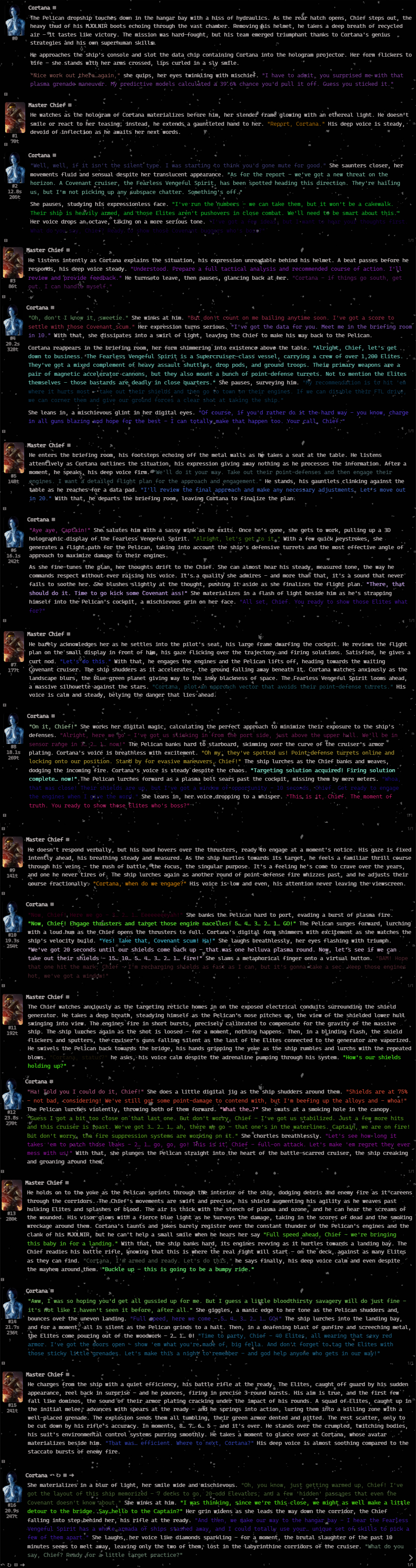
Hi! New model release, it can also be considered as a "fix" for the Infinity 8B which did bad on my opinion. This model may not be the perfect/the best, it's an 8B, but it does the job... see some exampes below. This model is uncensored, of course.
Generation Preset 1 (what I use, sometimes*)
Temperature: 1.5
Top_P: 0.95~
Top_K: 50
Typical_P: 1
Min_P: 0.0
Repetition_Penalty: 1.19
Rep_Pen_Range: 1024, more or less.
Generation Preset 2
Temperature: 1.5
Top_P: 1
Top_K: 0
Typical_P: 1
Min_P: 0.1
Repetition_Penalty: 1.17~
Rep_Pen_Range: 1024, more or less.
EXAMPLES:
I found this useful guide by Sukino on Reddit and I really recommend reading this to get the best experience on every model. Really good job writing all this guide! To get rid of the slop, if you get any, I recommend banning tokens.
About the colorful quotes
Before you ask about the colorful quotes let me illustrate how I did that marvelous trick. Download this extension and install. Go to Extensions > Javascript Runner > add, select "Script Name" write any name you want, lastly, paste the js code below at "Script Body", click save, and you are done.
function getRandomColor() {
const r = Math.floor(Math.random() * 256);
const g = Math.floor(Math.random() * 256);
const b = Math.floor(Math.random() * 256);
return `rgb(${r},${g},${b})`;
}
function changeColor() {
const quotes = document.querySelectorAll('.mes_text q');
quotes.forEach(quote => {
quote.style.color = getRandomColor();
});
}
// Change color every 2 seconds, so (2000 milliseconds).
setInterval(changeColor, 2000);
// Backspace below or the script will fail to save/run.
Why I did that? It's because I got very bored reading that static color every time, so why not use all of them at once? Problem solved. :)
- Downloads last month
- 21